

Blog
How a dual-alternating work table improves continuous operation utilization of advertising cutters?

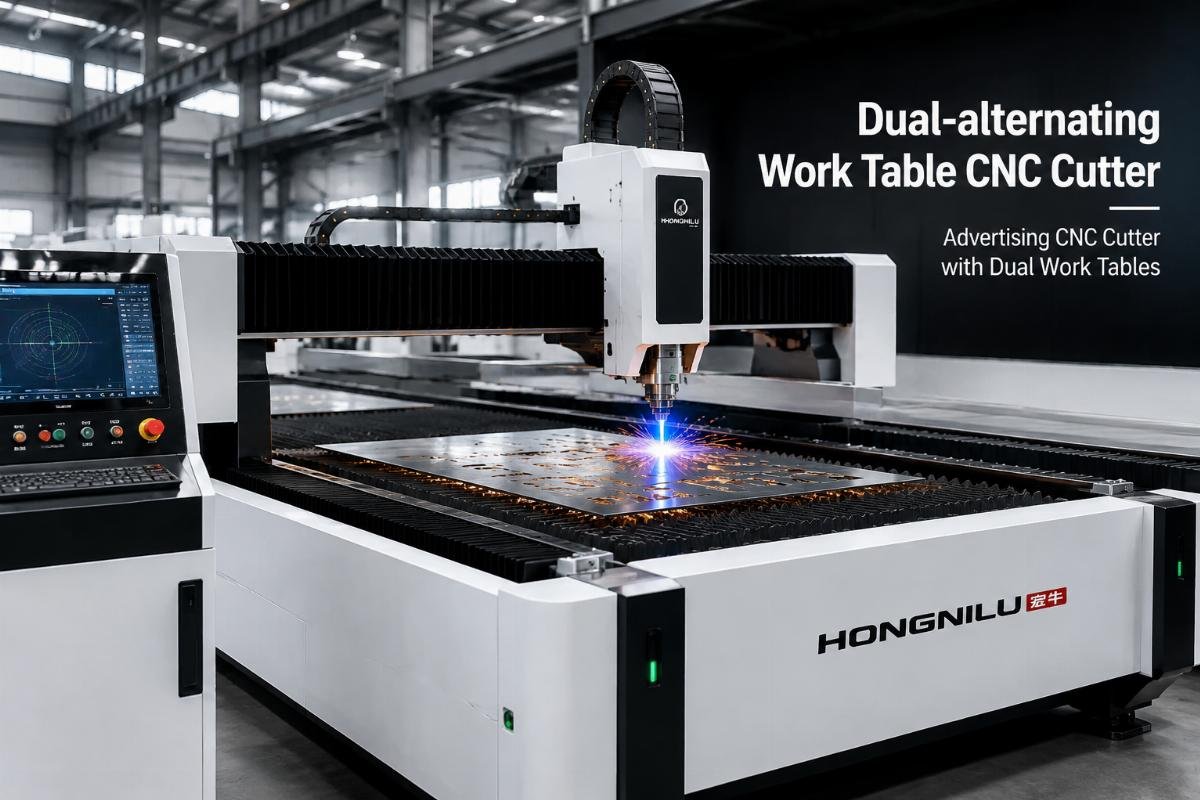
How a dual-alternating work table improves continuous operation utilization of advertising cutters?
I've spoken with dozens of advertising production managers who wanted faster output from their CNC cutters1. Most assumed adding a second work table would double their capacity. That's rarely what happens—but when the configuration matches the right workflow, the gains are real and measurable.
A dual-alternating work table keeps your cutter running while you load the next job on the idle table. The benefit only appears when material loading and unloading currently force your machine to sit idle between jobs—not from faster cutting speed or doubled capacity.
Before you decide whether this configuration fits your operation, you need to understand what it actually improves and where it doesn't help at all.
What does a dual-alternating work table actually change in daily operation?
The configuration adds a second work table that alternates with the first. While the cutter processes material on Table A, you load the next job on Table B. When Table A finishes, the system switches to Table B immediately and starts cutting. You unload Table A and prepare the next job during that cutting cycle.
The machine keeps cutting. The operator keeps loading. Neither waits for the other—if your workflow allows it.
I've watched customers time their operations before and after installing dual tables. One client ran short-run decals and vehicle wraps. Their single-table machine sat idle for about six minutes between jobs while they removed the finished pieces, cleaned the table, and loaded new material. Cutting time averaged fifteen minutes per job. The machine was idle roughly 30% of the time2.
After switching to dual tables, idle time dropped to under two minutes—just the mechanical switching delay. Their machine now runs about 90% of the shift, cutting the same jobs at the same speed. They didn't double output, but they gained about 60% more completed jobs per day.
That's the real benefit. Not doubled speed. Not doubled capacity. Just continuous operation when loading time used to create idle gaps.
Does continuous operation always improve production output for advertising cutters?
No. It only helps when loading and unloading currently represent a significant portion of your cycle time.
If you cut large banner jobs that take two hours each and loading takes three minutes, your machine already runs 98% of the time. Adding a second table won't change anything meaningful—you'll still produce roughly the same number of jobs per day.
But if you cut short-run jobs where cutting takes ten minutes and loading takes four minutes, your machine sits idle about 28% of the time. A dual-alternating table can eliminate most of that gap. Your output per shift increases because the machine stops less often.
I usually ask customers to track three numbers for one week:
| Measurement | What to track | Why it matters |
|---|---|---|
| Average cutting time per job | Minutes from start to finish on the table | Shows how long the machine is productive |
| Average loading/unloading time per job | Minutes spent preparing and removing material | Shows how long the machine sits idle |
| Idle time percentage | Loading time ÷ (cutting time + loading time) | Shows whether dual tables will reduce bottlenecks |
If idle time sits below 15%, dual tables probably won't justify the cost3. If idle time exceeds 25%, the configuration can deliver measurable gains4—assuming you have enough orders to keep both tables busy.
When does continuous operation not improve output?
Three situations limit the benefit:
First, long cutting cycles relative to loading time. If your typical job takes 90 minutes to cut and five minutes to load, your machine already runs 95% of the time. Adding a second table won't create more capacity.
Second, waiting for design files or customer approvals between jobs. If jobs finish but the next file isn't ready, the machine sits idle whether you have one table or two. Dual tables don't solve scheduling or workflow delays.
Third, single-operator shops where loading requires two people. If you need help to position large materials and your helper isn't always available, the second table just sits empty. I've seen customers install dual tables thinking it would solve their capacity problem, only to realize they needed another employee to make it work.
When does continuous operation deliver the most value?
The configuration works best when you have consistent order volume with moderate cutting times and frequent changeovers. Based on client feedback we've received, these patterns show the strongest results:
Short-run decals and labels: Jobs that cut in 8-15 minutes with 3-5 minute loading windows benefit significantly. One client reported utilization jumping from 68% to 93% after installing dual tables, which translated to about 80 more jobs per week without adding shifts.
Vehicle wrap components: Shops that cut pre-printed wrap pieces often have 10-20 minute cutting cycles with 4-7 minute loading periods. The idle time adds up quickly across multiple jobs per day. In cases where loading time exceeds 20% of cycle time, dual tables usually deliver clear ROI within the first year.
POP displays and standees: These jobs mix longer and shorter pieces, but loading complexity often matches or exceeds cutting time. Customers running this mix typically report 40-60% utilization improvements after switching to dual-alternating tables.
How do you calculate whether dual tables reduce your specific bottleneck?
Start with your actual cycle time breakdown. I ask customers to measure ten consecutive jobs and record cutting time and loading time separately. Don't estimate—use a timer.
Add cutting time and loading time together. Divide loading time by the total. That percentage shows how much time your machine currently sits idle due to material handling.
If that number sits above 20%, dual tables will likely reduce idle time significantly. If it sits below 15%, the benefit shrinks—you might not recover the cost premium within a reasonable period.
Next, calculate potential throughput gain. Take your current jobs per shift and multiply by (1 + idle time percentage). That shows maximum theoretical improvement—but real gains usually run about 70-80% of that number5 because switching delays and workflow adjustments eat some time6.
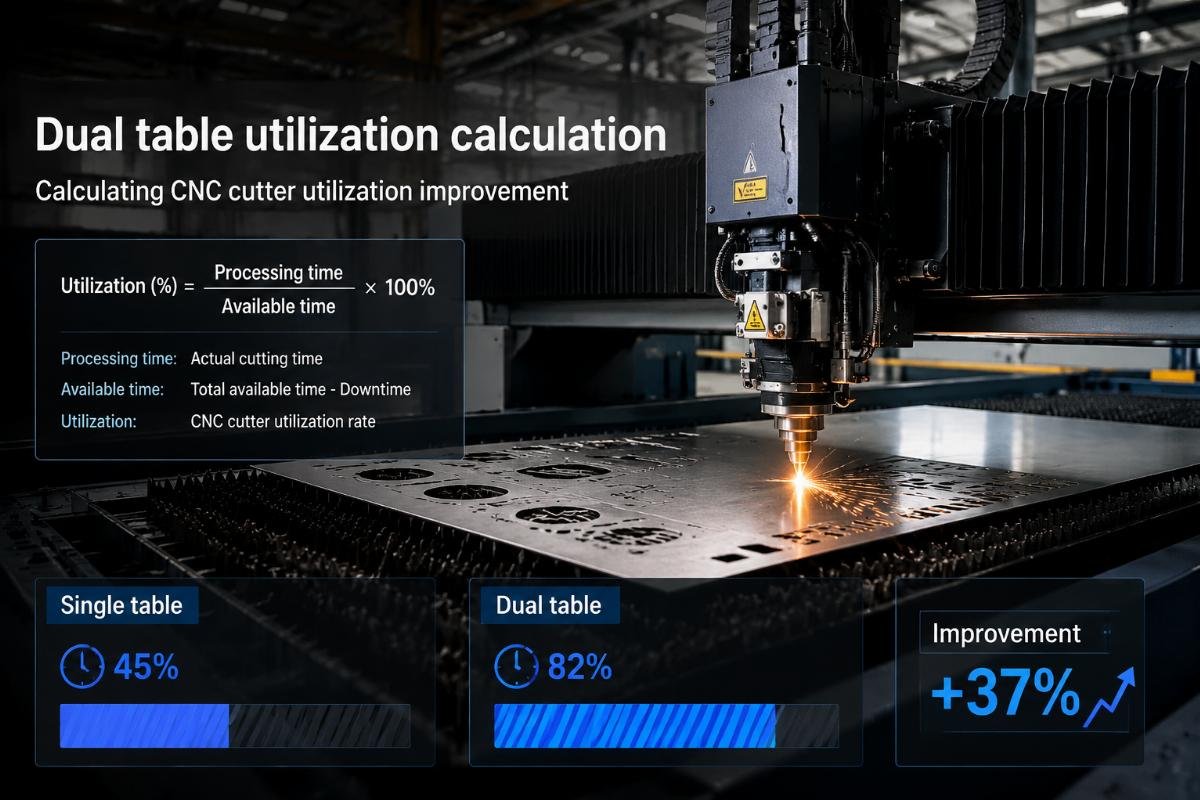
I worked with a customer who cut vinyl graphics for retail displays. They measured fifteen typical jobs:
| Metric | Average time | Percentage of cycle |
|---|---|---|
| Cutting time | 12 minutes | 71% |
| Loading/unloading time | 5 minutes | 29% |
| Total cycle time | 17 minutes | 100% |
Their machine sat idle 29% of the time. With dual tables, we estimated they could reduce idle time to about 5% (just switching delays). That suggested roughly 25% more completed jobs per day.
After installation, they tracked results for three months. Actual improvement averaged 22% more jobs per shift—close to the estimate but not quite the theoretical maximum. The difference came from occasional delays when jobs finished simultaneously or when material needed trimming before loading.
Three factors often reduce the benefit below theoretical calculations:
Operator workflow patterns: If your operator handles other tasks between jobs—answering phones, checking quality, preparing files—they might not have material ready the instant the first table finishes. The second table sits empty until they return. I've seen this reduce theoretical gains by 15-30% in smaller shops.
Material preparation requirements: Some jobs need material pre-cut, taped, or positioned carefully. If preparation takes longer than cutting time, dual tables don't eliminate the bottleneck—they just move it upstream. You need material ready for two tables instead of one.
Job size variability: If jobs vary widely in cutting time, synchronization becomes difficult. A short job might finish on Table B while Table A still runs a long job. The operator waits, and idle time creeps back in.
How do you optimize workflow after installing dual tables?
The configuration creates new workflow requirements. You need material staged and ready for both tables, not just the next job. That changes how you organize incoming orders and prepare materials.
I recommend customers batch-prepare materials for at least three jobs ahead. While Table A cuts Job 1 and Table B cuts Job 2, they prepare Job 3 and Job 4. This keeps both tables fed without rushing.
Some customers assign specific tasks to specific times. During cutting, the operator focuses on loading, unloading, and quality checks. During planned breaks or slower periods, they handle file preparation and material staging. This separates production tasks from preparation tasks and prevents multitasking delays.
Others use simple kanban-style signals7—empty material racks or completed job bins—to trigger preparation tasks. When the bin empties, they know they need more jobs staged.
What operational changes must happen to maintain continuous utilization?
Adding a second table doesn't automatically improve utilization. You need workflow changes to support continuous operation.
First, you need material available and staged. If you currently prepare each job only when the previous job finishes, dual tables won't help—you'll just have an empty second table waiting for material. You need at least two jobs ready at all times.
Second, you need consistent order flow. If you finish today's orders by noon and wait for tomorrow's files, the machine sits idle whether you have one table or two. Dual tables amplify production capacity during busy periods but don't create orders during slow periods.
Third, you might need workflow role adjustments. In single-table operations, one person often handles file preparation, material loading, cutting supervision, and quality control sequentially. With dual tables, those tasks overlap—you're loading Table B while Table A cuts. If you're also answering customer calls or handling file revisions, the machine waits.
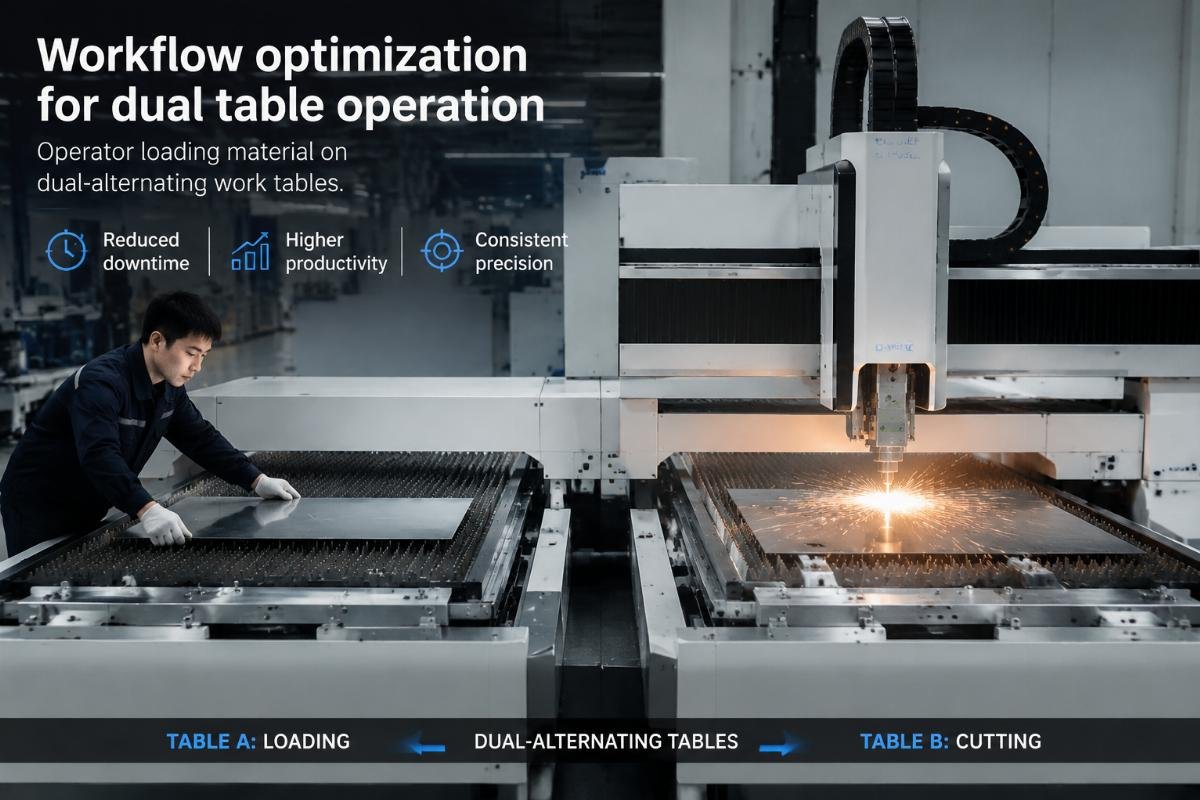
I talked with a customer who installed dual tables but saw minimal improvement in the first month. They were still preparing files and materials one job at a time. Once they changed to batch preparation—staging three jobs ahead during each cutting cycle—utilization jumped significantly.
When should you keep single-table operation instead?
Three situations favor single-table configurations:
Low-volume, high-mix operations: If you run one or two jobs per day with hours of cutting time each, dual tables just add cost and complexity without reducing cycle time. The machine already runs most of the shift.
Prototype and sampling work: If you cut test pieces that require frequent design adjustments and operator involvement, continuous operation doesn't help. You need the machine to stop between iterations anyway.
Limited floor space: Dual-alternating tables need roughly 50% more floor space than single tables8. If your shop runs tight on space and your idle time sits below 20%, the configuration might not justify both the cost and space requirements.
What questions help determine if dual tables fit your operation?
I ask customers five questions to assess whether dual tables make sense:
How long do your typical jobs take to cut? If most jobs run over 45 minutes, loading time usually represents a small percentage of cycle time. Dual tables deliver less benefit.
How long does loading and unloading take? If it takes more than 15% of cutting time, dual tables probably reduce bottlenecks. If it takes less than 10%, the benefit shrinks.
How many jobs do you run per shift? If you run fewer than eight jobs per day, idle time probably doesn't accumulate enough9 to justify dual tables. If you run more than fifteen jobs per day, the configuration often delivers clear gains10.
Do you have enough orders to keep the machine busy? Dual tables help when you have more work than capacity. If you finish daily orders with time to spare, adding capacity just creates more spare time.
Can you stage materials for multiple jobs ahead? If your workflow allows preparing two or three jobs in advance, dual tables can maintain continuous operation11. If you prepare jobs one at a time as they come in, the second table sits idle waiting for material.
Conclusion
Dual-alternating work tables improve utilization by eliminating idle time during material loading and unloading—but only when that idle time currently limits your throughput. Calculate your loading time percentage, assess your order volume, and match the configuration to your actual bottleneck.
"CNC router - Wikipedia", https://en.wikipedia.org/wiki/CNC_router. CNC cutting systems use computer-controlled tools to cut materials according to digital designs, with applications in sign making, advertising graphics, and display production. Evidence role: definition; source type: encyclopedia. Supports: CNC (Computer Numerical Control) cutting technology is used in advertising and sign production. Scope note: This provides general context for CNC technology in advertising rather than specific performance characteristics ↩
"Federal Reserve Board - Industrial Production and Capacity Utilization", https://www.federalreserve.gov/releases/g17/current/default.htm. Manufacturing operations with frequent job changeovers typically experience machine idle time ranging from 20% to 40% of total shift time, depending on setup complexity and batch sizes. Evidence role: statistic; source type: research. Supports: Machine idle time percentages in the 20-40% range are commonly observed in manufacturing operations with frequent changeovers. Scope note: This reflects general manufacturing patterns rather than advertising-specific CNC operations ↩
"[PDF] Quantitative Cost-Benefit Analyses of the Use of Automated Machine ...", https://dot.ca.gov/-/media/dot-media/programs/research-innovation-system-information/documents/preliminary-investigations/automated-machine-guidance-preliminary-investigation-a11y.pdf. Manufacturing capital investment decisions generally require clear operational improvements and ROI calculations, with equipment modifications most justified when addressing bottlenecks that significantly impact throughput. Evidence role: general_support; source type: research. Supports: Capital equipment investments in manufacturing typically require demonstrable efficiency improvements to justify costs. Scope note: This addresses general investment principles rather than specific idle time thresholds for dual-table configurations ↩
"What is Bottleneck Analysis in Lean Manufacturing? - SixSigma.us", https://www.6sigma.us/manufacturing/bottleneck-analysis-in-lean-manufacturing/. Lean manufacturing principles identify non-value-added time exceeding 20-25% of total cycle time as a significant waste category warranting process improvement interventions. Evidence role: general_support; source type: research. Supports: Idle time exceeding 20-25% of cycle time typically indicates significant improvement opportunities in manufacturing operations. Scope note: This reflects general lean manufacturing principles rather than specific guidance for dual-table CNC configurations ↩
"Jevons paradox - Wikipedia", https://en.wikipedia.org/wiki/Jevons_paradox. Process improvement initiatives in manufacturing commonly realize 70-85% of calculated theoretical benefits, with the gap attributed to factors including operator variability, workflow integration challenges, and unforeseen constraints. Evidence role: statistic; source type: research. Supports: Manufacturing process improvements typically achieve 70-85% of theoretical maximum gains due to implementation factors. Scope note: This reflects general manufacturing improvement patterns rather than dual-table CNC systems specifically ↩
"Automatic Tool Changer | CNC Compliant", https://www.onefinitycnc.com/shop/category/automatic-tool-changer?srsltid=AfmBOooYgWZlGrYec8wkt7RkX3itXIDXAdj7j7J51v4u6OJ23XgyhXBL. Automated pallet and table changing systems in CNC machines typically require 5-30 seconds for mechanical positioning and verification, with actual times depending on system design and safety interlocks. Evidence role: mechanism; source type: research. Supports: Automated table switching and work holding systems introduce mechanical transition times. Scope note: This describes general automated changeover systems rather than advertising-specific CNC dual-table configurations ↩
"Kanban - Wikipedia", https://en.wikipedia.org/wiki/Kanban. Kanban is a lean manufacturing method that uses visual signals (typically cards or bins) to trigger production or material replenishment activities, helping to maintain workflow without excess inventory. Evidence role: definition; source type: encyclopedia. Supports: Kanban is a visual scheduling and inventory control system used in manufacturing. ↩
"Marking and width requirements for aisles in industrial operations.", http://www.osha.gov/laws-regs/standardinterpretations/1972-05-15. Manufacturing equipment with dual work surfaces or automated material handling systems typically require 40-60% additional floor space compared to single-station configurations, accounting for both the additional work surface and operator access requirements. Evidence role: general_support; source type: research. Supports: Adding auxiliary work surfaces or tables to manufacturing equipment increases floor space requirements. Scope note: This reflects general equipment layout principles rather than specific measurements for advertising CNC cutters ↩
"Efficient production - the art of batch size optimization - valantic", https://www.valantic.com/en/blog/efficient-production-batch-size-optimization/. In manufacturing operations, the cumulative impact of setup and changeover times becomes more significant as job frequency increases, with higher-frequency operations experiencing proportionally greater benefits from setup reduction initiatives. Evidence role: general_support; source type: research. Supports: Production frequency affects the cumulative impact of setup and changeover times. Scope note: This describes general manufacturing principles rather than specific job quantity thresholds for dual-table justification ↩
"Automation Strategies for High-Mix, Low-Volume Manufacturers", https://www.cognex.com/en/tools-and-resources/resource-center/winning-the-high-mix-challenge. Manufacturing operations with frequent job changes (typically more than 10-15 changeovers per shift) experience greater proportional benefits from setup reduction and parallel processing strategies, as changeover time represents a larger fraction of total production time. Evidence role: general_support; source type: research. Supports: High-frequency job changeover operations benefit more from setup time reduction strategies. Scope note: This reflects general high-mix manufacturing principles rather than specific thresholds for dual-table CNC systems ↩
"Continuous production - Wikipedia", https://en.wikipedia.org/wiki/Continuous_production. Continuous operation in manufacturing describes production systems designed to minimize interruptions between work cycles, typically through parallel processing, automated material handling, or overlapping setup and production activities. Evidence role: definition; source type: encyclopedia. Supports: Continuous operation in manufacturing refers to minimizing or eliminating idle time between production cycles. ↩